> ## Documentation Index
> Fetch the complete documentation index at: https://docs.fluso.ai/llms.txt
> Use this file to discover all available pages before exploring further.
# Confidential mode
> Run your work through models hosted in a hardware-sealed enclave.
Confidential mode routes your inference through Prem API's confidential compute, an isolated enclave that infrastructure operators and the cloud provider cannot access. It's available on the Max plan and, once enabled, it stays on. The sections below cover what it adds, how to switch it on from Settings, and what to expect once it's active.
## What it protects
At the gateway, your request is encrypted for processing and sent to an enclave: hardware-isolated regions of the server that the host OS, the hypervisor, and anyone operating the infrastructure cannot read. The cloud provider can't see your data there. Someone with physical access to the hardware can't either.
Before the gateway, your requests pass through Fluso's infrastructure on AWS. Both the sandbox and gateway run in a secure cloud environment we control.
The enclave itself isn't protected by a policy or a promise. Isolation is enforced in the hardware, and attestation reports signed by the chip vendor let you verify it.
For the full technical picture, see Prem's [confidential compute documentation](https://docs.prem.io/basics/learn-more/overview).
## Plans
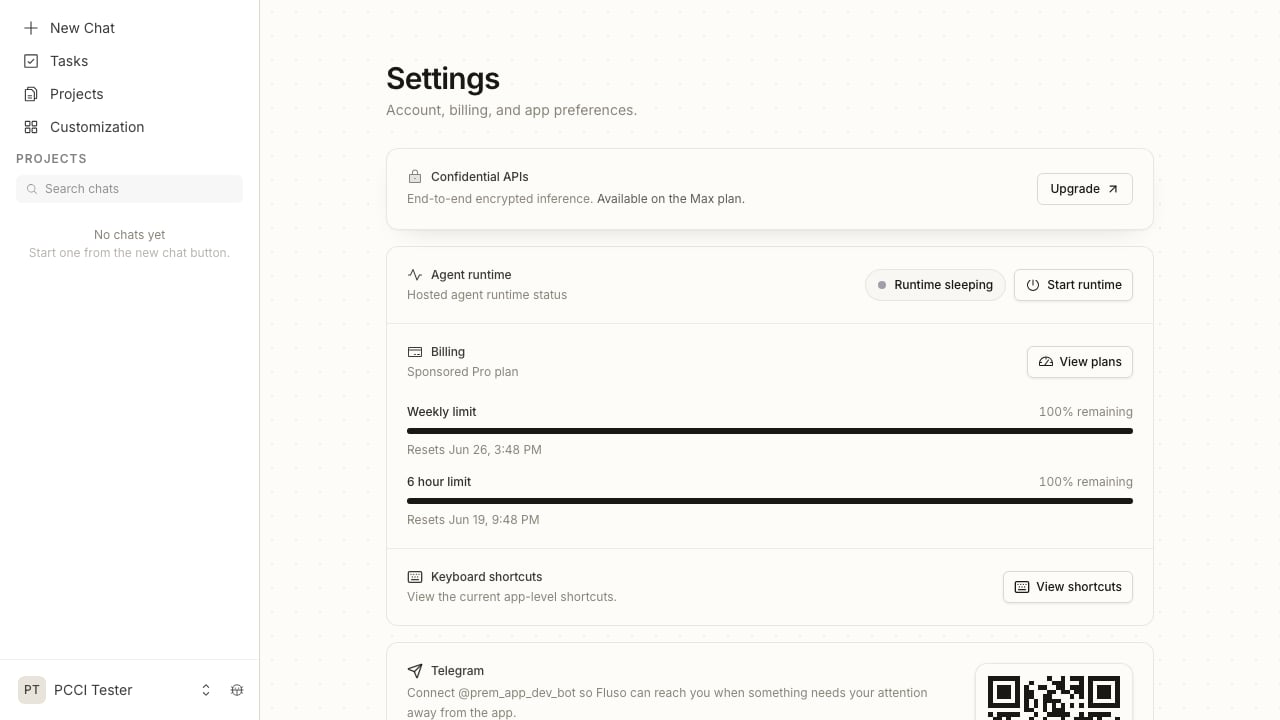
Confidential mode is a Max plan feature. Every Fluso account starts on a sponsored Pro plan, which covers normal inference at no cost to you. The setting lives in **Settings** under **Confidential APIs**, and on the sponsored Pro plan it reads "Available on the Max plan" with an **Upgrade** button.
Open your profile from the bottom of the left sidebar. The plan you're on shows next to **Manage plan**.
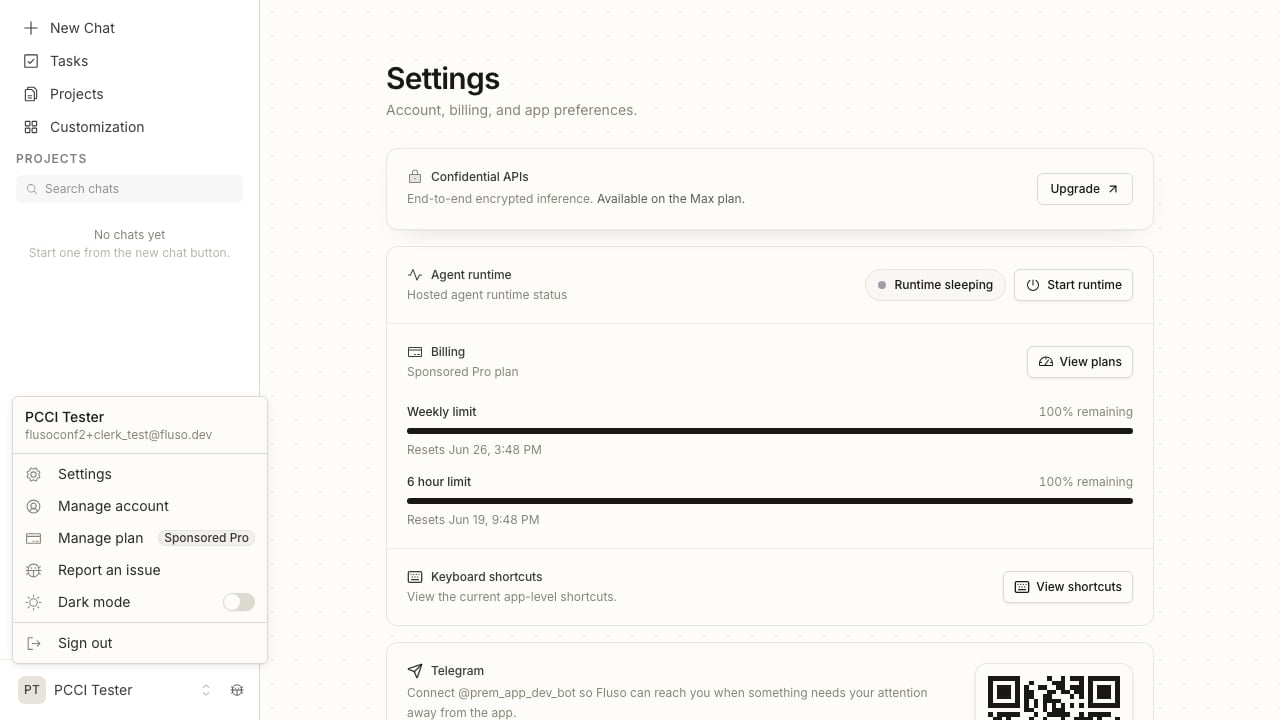 Open **Settings**. The Confidential APIs row reads "End-to-end encrypted inference. Available on the Max plan" with an **Upgrade** button on the right.
 ## Turning it on
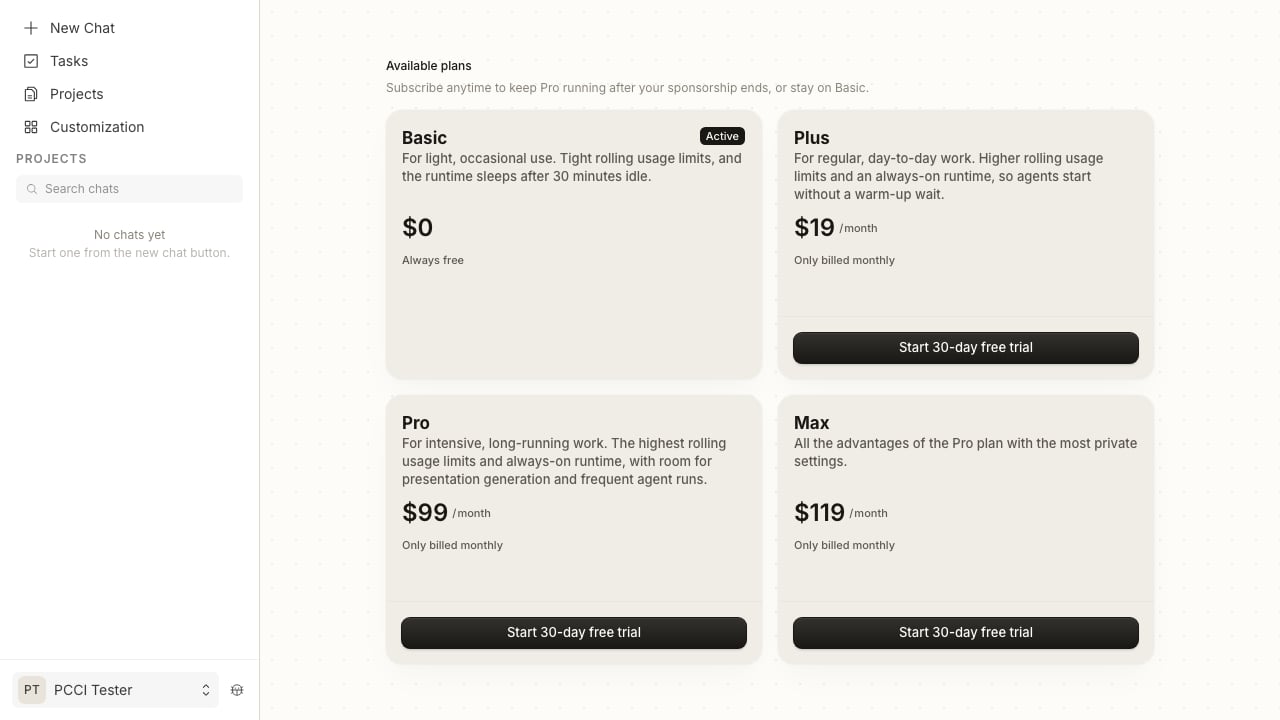
From the Confidential APIs prompt or **Settings → Plans**, pick **Max** and complete checkout. New accounts get a 30-day free trial.
## Turning it on
From the Confidential APIs prompt or **Settings → Plans**, pick **Max** and complete checkout. New accounts get a 30-day free trial.
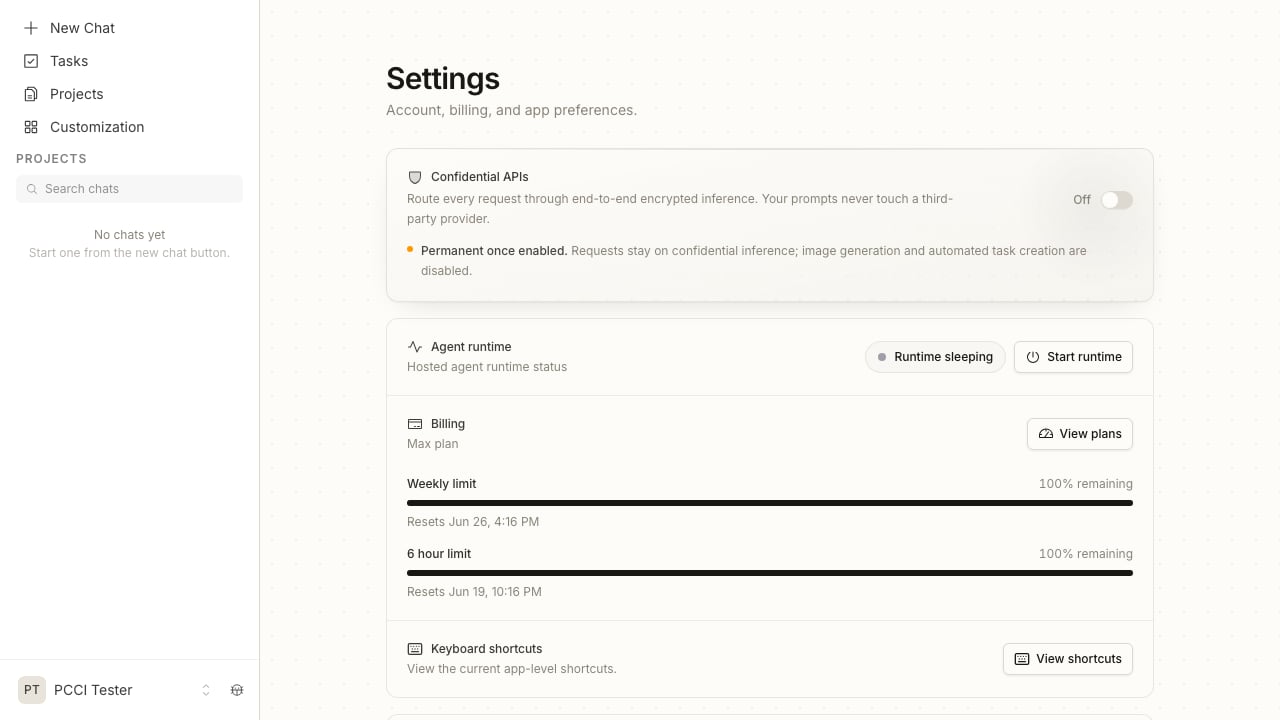
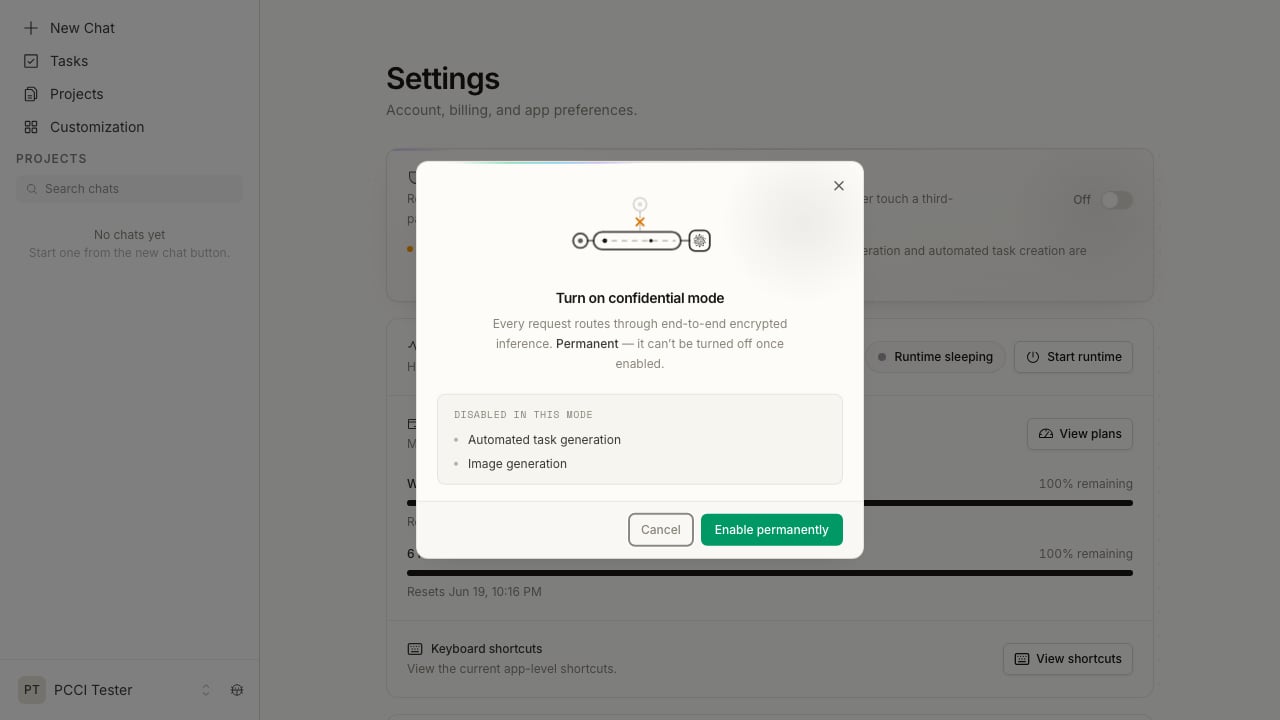
 With Max active, you can flip the toggle. The panel notes that the change is permanent first: "Permanent once enabled. Requests stay on confidential inference; image generation and automated task creation are disabled."
 A dialog confirms the one-way switch and lists what gets disabled in this mode.
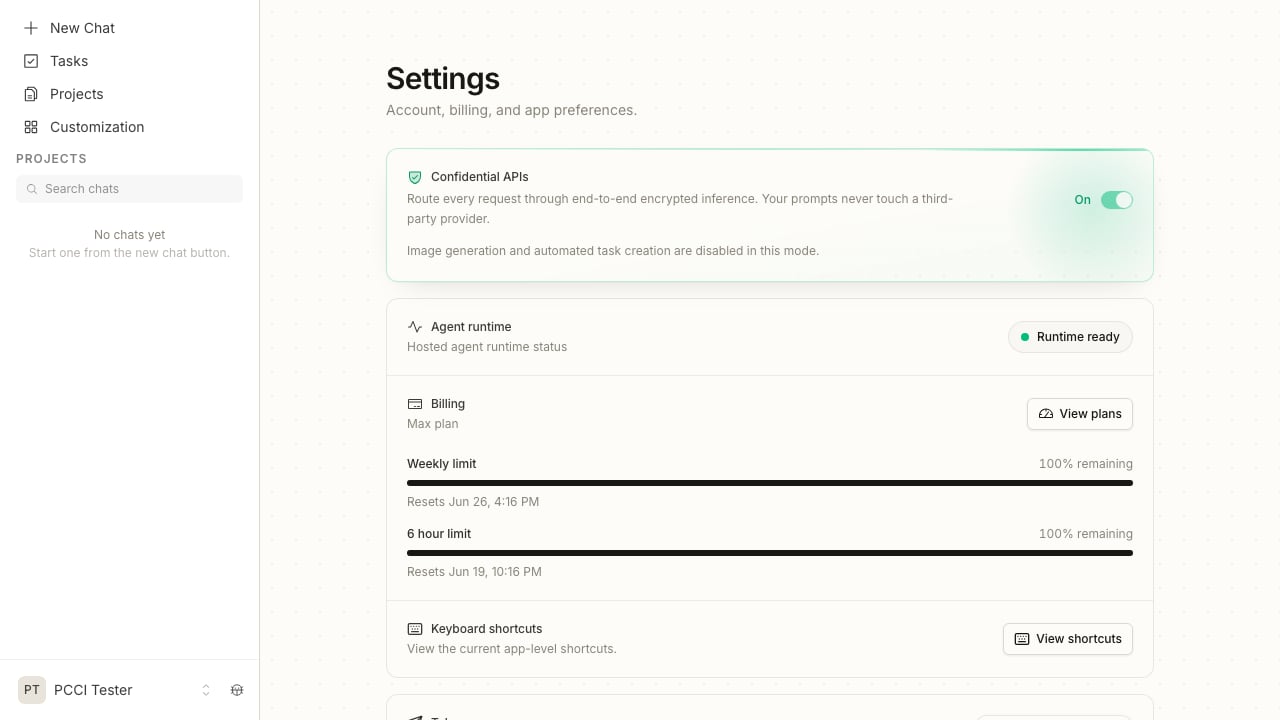
 The panel turns green and the toggle reads **On**. From here on, your inference runs through the enclave.
 Enabling confidential mode is permanent. Once your workspace is in confidential mode, you can't switch back to standard inference. Image generation and automated task creation are disabled while it's on.
## FAQ
No. Turning on confidential mode is a one-way change for your workspace. Once you're in confidential mode, there's no path back to standard inference.
Confidential mode never falls back to standard inference, because a silent fallback would route your data through a non-confidential path. If the enclave can't be reached, the request fails and you'll see an error instead. Retry once the enclave is reachable again. If it stays down, [contact support](mailto:support@premai.io).
Image generation and automated task creation. Both rely on paths that would take your data outside the enclave, so they're turned off in this mode. Everything else keeps working.
The Max plan. Every account starts on a sponsored Pro plan, which runs normal inference. Confidential mode is the reason to move to Max. New accounts can start a 30-day Max trial.
Inside the enclave, no. At the gateway, your request is encrypted for a hardware-sealed environment that infrastructure operators and the cloud provider cannot access. Before that, traffic passes through Fluso's AWS infrastructure.
Enabling confidential mode is permanent. Once your workspace is in confidential mode, you can't switch back to standard inference. Image generation and automated task creation are disabled while it's on.
## FAQ
No. Turning on confidential mode is a one-way change for your workspace. Once you're in confidential mode, there's no path back to standard inference.
Confidential mode never falls back to standard inference, because a silent fallback would route your data through a non-confidential path. If the enclave can't be reached, the request fails and you'll see an error instead. Retry once the enclave is reachable again. If it stays down, [contact support](mailto:support@premai.io).
Image generation and automated task creation. Both rely on paths that would take your data outside the enclave, so they're turned off in this mode. Everything else keeps working.
The Max plan. Every account starts on a sponsored Pro plan, which runs normal inference. Confidential mode is the reason to move to Max. New accounts can start a 30-day Max trial.
Inside the enclave, no. At the gateway, your request is encrypted for a hardware-sealed environment that infrastructure operators and the cloud provider cannot access. Before that, traffic passes through Fluso's AWS infrastructure.