

Developer tokens
Create and maintain Cloud API access for your own integration.
A developer token lets a script use your Fluso Cloud account. Create it in the app, then store it as your integration's secret.
Create a token in Fluso
- Open Settings → Developer tokens in your Cloud workspace.
- Click Create token.
- Enter a name that identifies the integration, such as Weekly report.
- Choose Read only to inspect data, or Read and write to submit work.
- Choose an expiry, then click Create token.
- Click Copy token before closing the result.
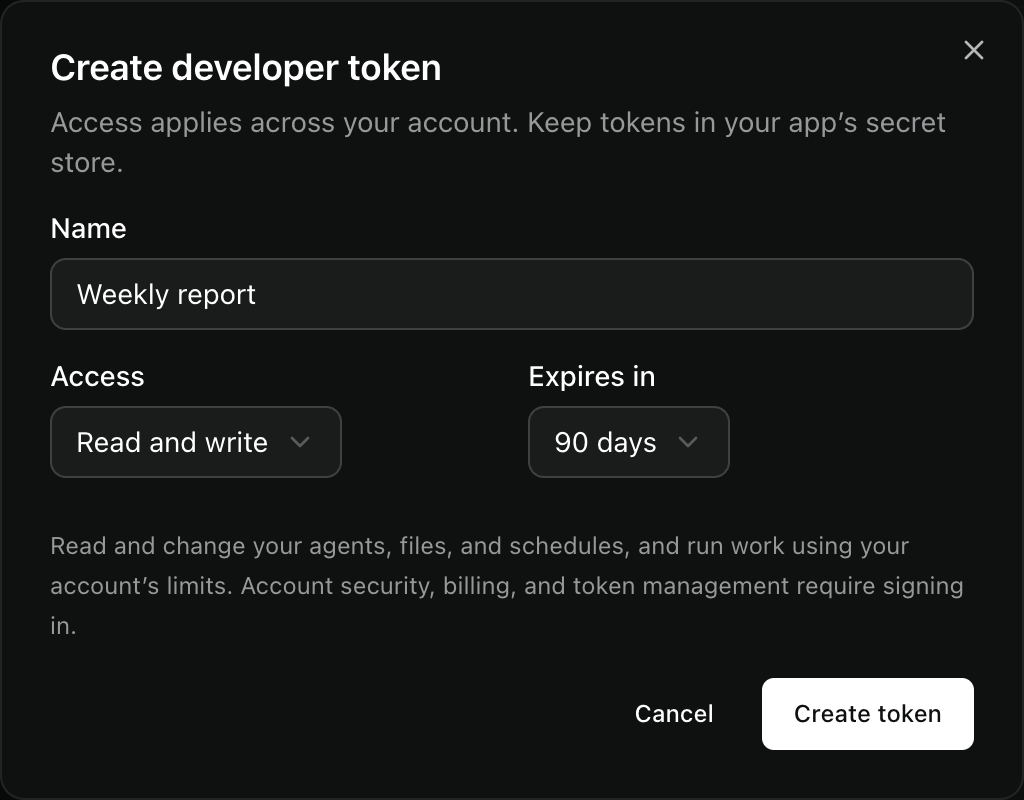
The secret appears once. If you lose it, revoke that token and create a replacement.
Check access
After setting the URL and token, check the authenticated identity:
curl --fail-with-body --silent --show-error \
  "$FLUSO_API_URL/auth/me" \
  -H "Authorization: Bearer $FLUSO_API_TOKEN"
This read does not start a runtime. Check the account and access level before your integration submits work.
| Access | What it permits |
|---|---|
read | Read your Agents, conversations, files, usage, and results |
write | Also submit work, change files and schedules, connect services, and decide individual tool approvals |
| Signed-in app session | Manage developer tokens and permanent tool permissions |
Access covers the account. A token is not restricted to one Agent or project. Work uses that account's limits.
Replace or revoke a token
Create a replacement in Settings. Update your integration's secret, then check it with /auth/me. Revoke the old token after the replacement works.
The default expiry is 90 days. Revocation reaches cached authentication and open streams within 30 seconds. Revocation does not stop accepted work or existing schedules. Stop work or pause schedules separately.
Token management endpoints
These four management routes require the owning account's Clerk app session. Developer tokens and native client tokens cannot manage developer tokens.
| Method and path | Use |
|---|---|
GET /v1/account/tokens | List metadata, including revoked tokens. Follow next_cursor as after. |
POST /v1/account/tokens | Create with name, access, and optional expires_at. Requires Idempotency-Key. |
PATCH /v1/account/tokens/{token_id} | Change name only. Replace the token to change access or expiry. |
DELETE /v1/account/tokens/{token_id} | Revoke it. Repeated revocation returns 204. |
GET /v1/auth/me | Read the authenticated identity. Accepts developer tokens too. |
Creation returns 201 and the secret once. Retrying the same key and body returns 200 with secret: null. A changed body returns 409. If the first response was lost, revoke that token and create another with a new key.
Omit expires_at for 90 days. Send null for no expiry, or a future timestamp with a timezone. An account can have at most 100 active tokens.
For a native application with an existing sign-in integration, see client sessions.