

Schedule a task
Ask an Agent to help at a time you choose.
Once a task is useful, you can schedule it. Fluso calls a scheduled message a routine.
A routine can run once or repeat. It returns to the same conversation, and you do not need to leave Fluso open.
Tell it what to do and when
Ask in the Agent's working conversation:
"Tomorrow at 8 AM, review the workshop notes in this chat. Tell me what still needs a decision before the meeting."
For repeat work, be clear about what should change each time:
"Every weekday at 9 AM, review mail since your last check. Show me what needs a reply and draft responses here. Don't send anything."
For that email example, the Agent needs your Google Workspace connection.
Check the saved time and timezone in Routines. If the timing could be ambiguous, include your timezone in the request.
Set it yourself
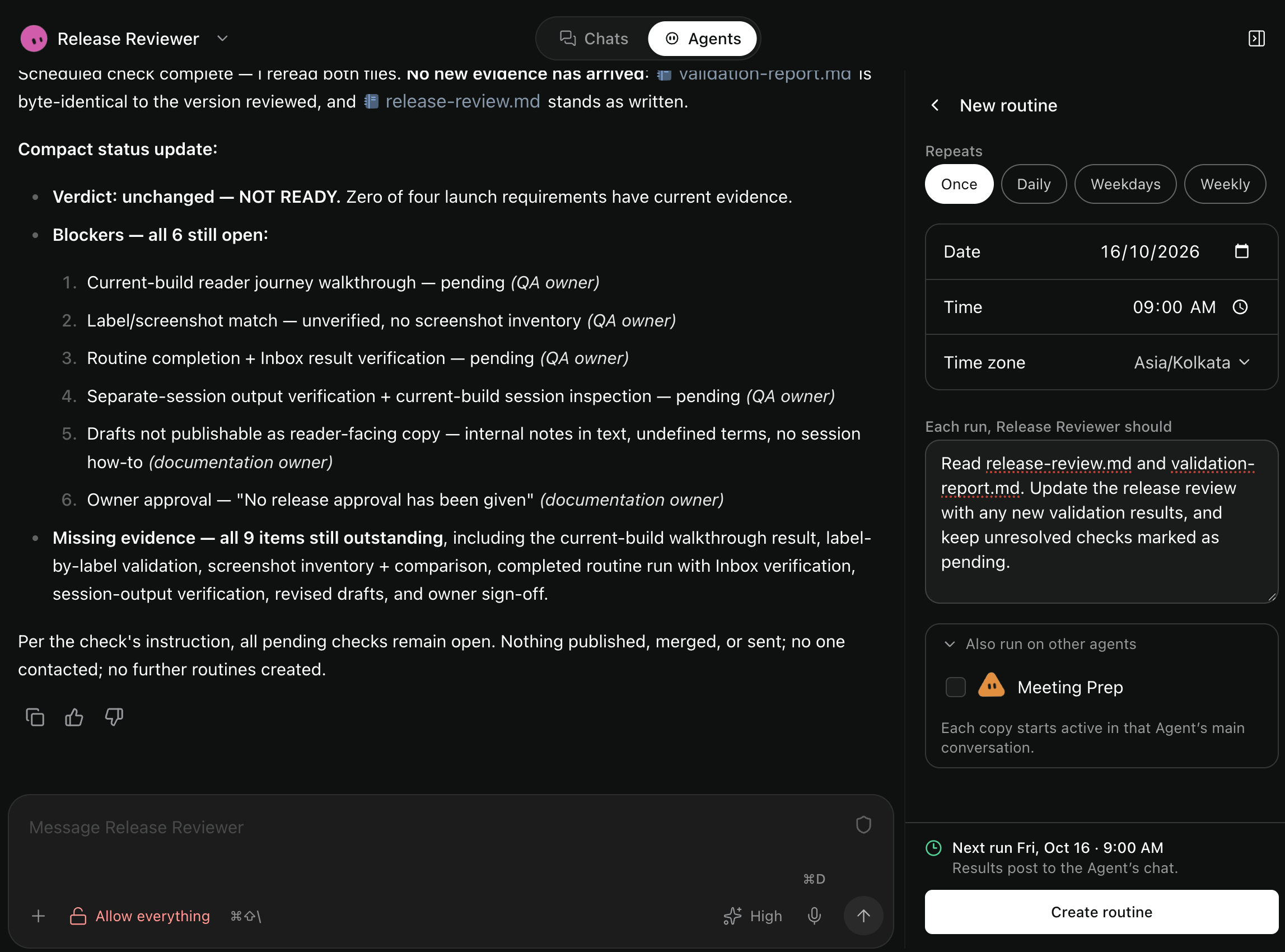
Open the Agent conversation's side panel with the panel icon at the upper right. Under Routines, select Add. Write the message and set the time.
The editor offers Once, Hourly, Daily, Weekdays, and Weekly. Hourly runs at the minute you pick, every hour. It schedules work for the current Agent.
Check the timezone. Select Create routine.
Request work in the Agent's working conversation. A routine you request in Manager is for reviewing the Agent's setup.
Find the result
The scheduled message appears as a small row in the conversation. Expand it if you want to read its instructions.
The answer stays in that conversation. You can also find routine results in Inbox.
If the Agent is busy, the routine waits. A routine can run while you are away, so a tool set to Ask is refused. Set the tools a routine needs to Allow before you rely on it. See How Agents work.
Change or stop it
Pause a routine to stop future occurrences. Edit it to change the message or timing. Delete it when you no longer need it.
Use Cancel run for an occurrence that is already queued, running, or waiting for approval. Pausing a routine does not cancel work already sent to the conversation.
For a temporary check, give it a stopping point:
"Check for a reply every 30 minutes until Friday. Stop checking when a reply arrives."
Check that the Agent pauses or deletes the routine when that condition is met. The instruction is not an automatic expiry setting.
When a routine doesn't finish
Open its conversation to see what happened. It may be waiting behind other work or asking for approval.
For a failure, check any partial result before trying again. A one-time routine stops scheduling after its message is accepted, even if the later work fails.
Last run dispatched · outcome unavailable means delivery is recorded, but completion is unknown.
A usage limit delays the routine. Repeated delivery failures can pause it. Fix the reported problem before resuming.
How timing and repeat runs work
An earlier occurrence of the same routine must finish before another can proceed. This includes queued work and approval waits.
Temporary delivery failures retry with delays. Delayed recurring routines do not replay every missed time.
Choose a future time for a one-time routine. The editor rejects local times skipped by daylight-saving changes. Check the timezone and next-run time before saving.
Existing custom timing stays unchanged unless you change the frequency.
Schedule work for several Agents
Expand Also run on other agents in the routine editor to apply the same message and timing to several Agents. Each gets its own routine.
Select all covers the Agents currently in the picker. It does not include Agents created later.
Matching routines appear together. Changing or deleting one Agent's assignment leaves the others in place. The editor reports any assignments it could not save, so you can retry those alone.
An Agent already using the same instructions at another time needs an explicit selection to add another timing.
Routines in separate sessions
Open the session and use its routine control. To schedule work in the main conversation, open that conversation first.
A session's routine uses that session's saved setup. A routine in the main conversation uses the setup selected for its new turn.
Deleting a session removes its routines. Archiving it does not pause them. Deleting an Agent removes all its routines.