

Review a launch
See how an Agent handles a larger job with separate checks and follow-ups.
A launch decision can depend on several documents: what is changing, what was checked, and what is still unresolved.
An Agent can compare them and keep the open questions together as the evidence changes.
Give it the decision to help with
Create a reviewer through New Agent. Explain what it should check and which decisions remain yours.
"Help me decide whether we're ready to launch. Compare the notes, test results, and open issues I share. Tell me what still blocks us and what information is missing. Don't publish anything or contact anyone."
Then attach the material for your review. Explain when you need the decision and what must be true before launch.
For this example, we gave the Agent sample files for a fictional documentation launch.
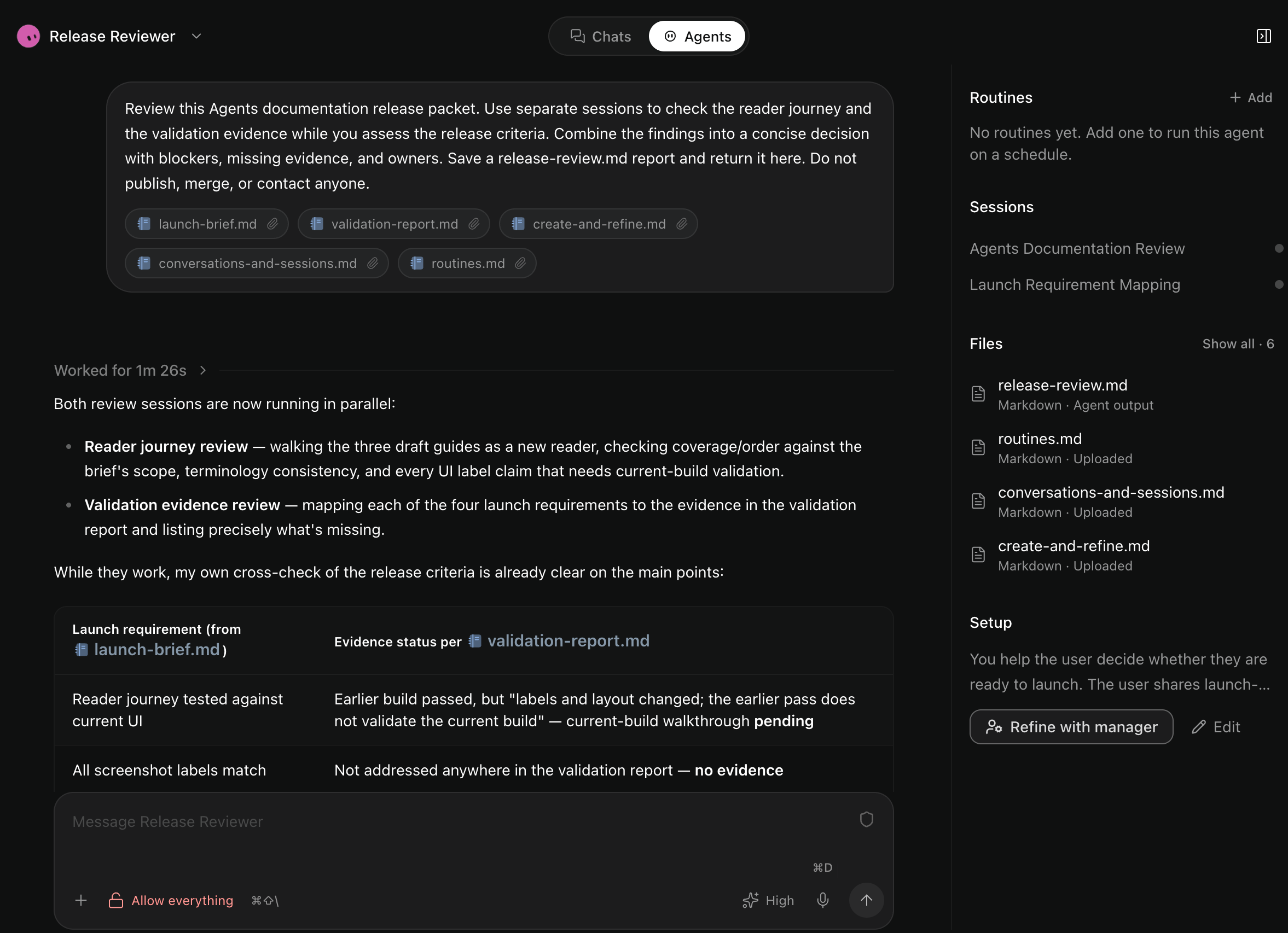
Give different checks room to run
For a larger review, you can ask:
"Have one session check what customers will experience and another check the test results. Compare their findings with our launch requirements and bring me one recommendation."
The Agent can use separate sessions while it works on the overall review.
In our run, two sessions checked the draft guides and validation notes. The Agent recommended waiting because some launch requirements were still unresolved. It saved their findings in release-review.md.
Read the reasoning, not only the recommendation. An earlier successful check may cover an older version of the work.
Keep the review useful as things change
Give it the new evidence in the same conversation:
"The updated test report is attached. Revise the recommendation, but keep anything we still haven't checked on the open list."
If the lesson should apply to future reviews, ask Manager to save it.
You can schedule a later check with a one-time routine. That brings the review back at a useful time without creating another conversation.
What happened in the scheduled follow-up?
The routine reread the saved report and validation notes. It found no new evidence, so it kept the unresolved checks open.
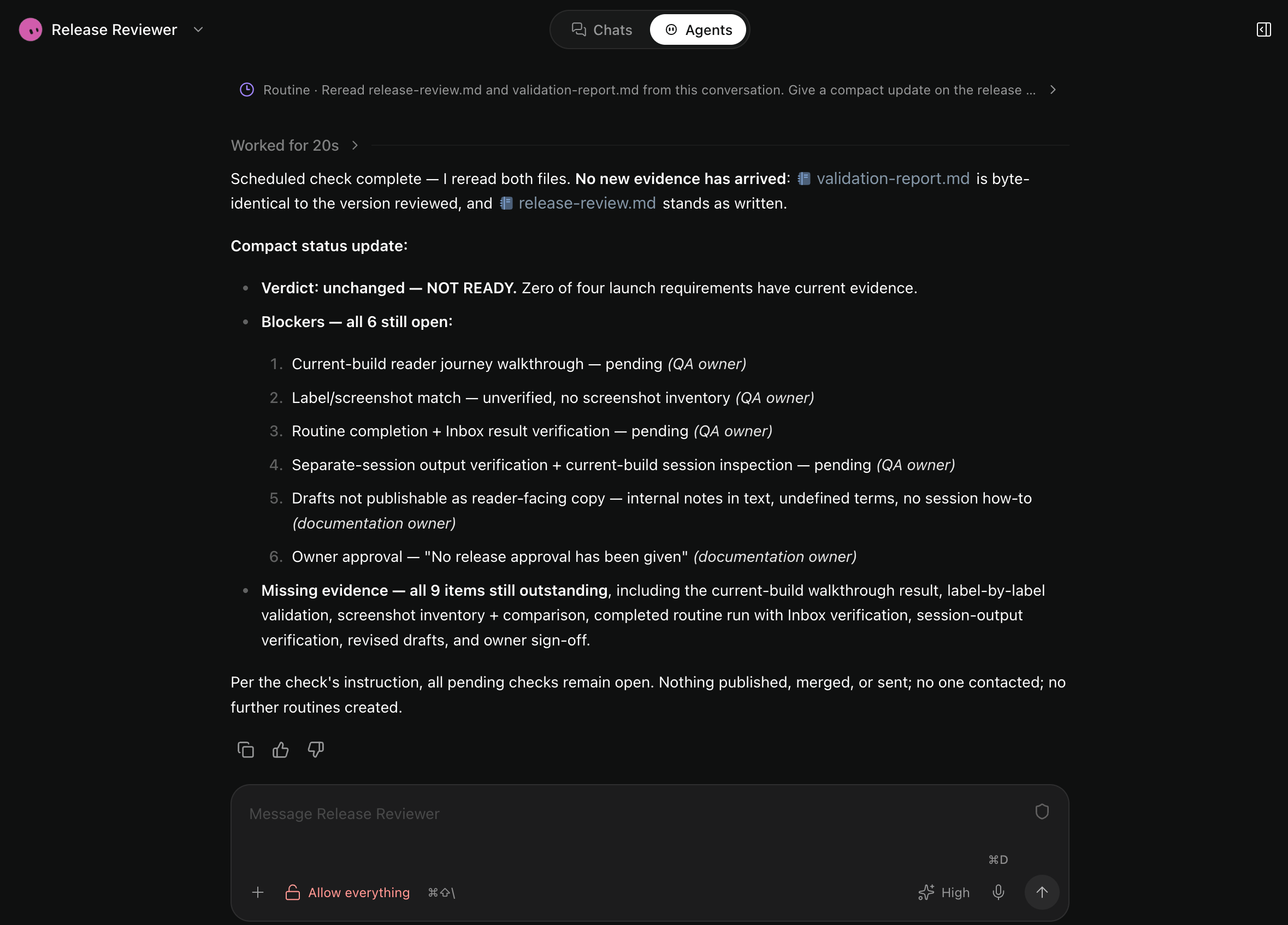
Its result appeared in Inbox. The routine did not approve or publish the release.
The example requests above are wording you can adapt to your own launch.