

Longer tasks and sessions
Keep a task moving as it grows or changes.
Your usual chat with an Agent is its main conversation. Keep using it as you add information, ask questions, or change direction.
Add a correction while it works
You can send another message before the Agent finishes:
"One change: the workshop now has 24 attendees. Please use that number when comparing the rooms."
The message waits above the composer for its own turn. Edit changes it. Cancel removes it.
Choose Send now to bring the correction into the work already running. If that work just finished, the message starts a new turn.
A message with changed Agent setup may show Saved setup applies next turn instead. It waits rather than changing the active work.
Let it divide a larger job
Some jobs have parts that can be checked independently. An Agent can work on them in separate conversations called sessions.
For example, one session might check venue offers while another checks the budget. The main conversation can work on the overall recommendation and bring the findings together.
You usually keep talking to the main conversation. You do not need to manage each session yourself.
For an example, see Review a launch.
Inspect sessions when useful
When the Agent has created sessions, open the dropdown beside its title. Select one to read its assignment and answers. Main conversation takes you back.
New result marks a result you have not read. Uses an earlier setup means the session started before a saved change to the Agent.
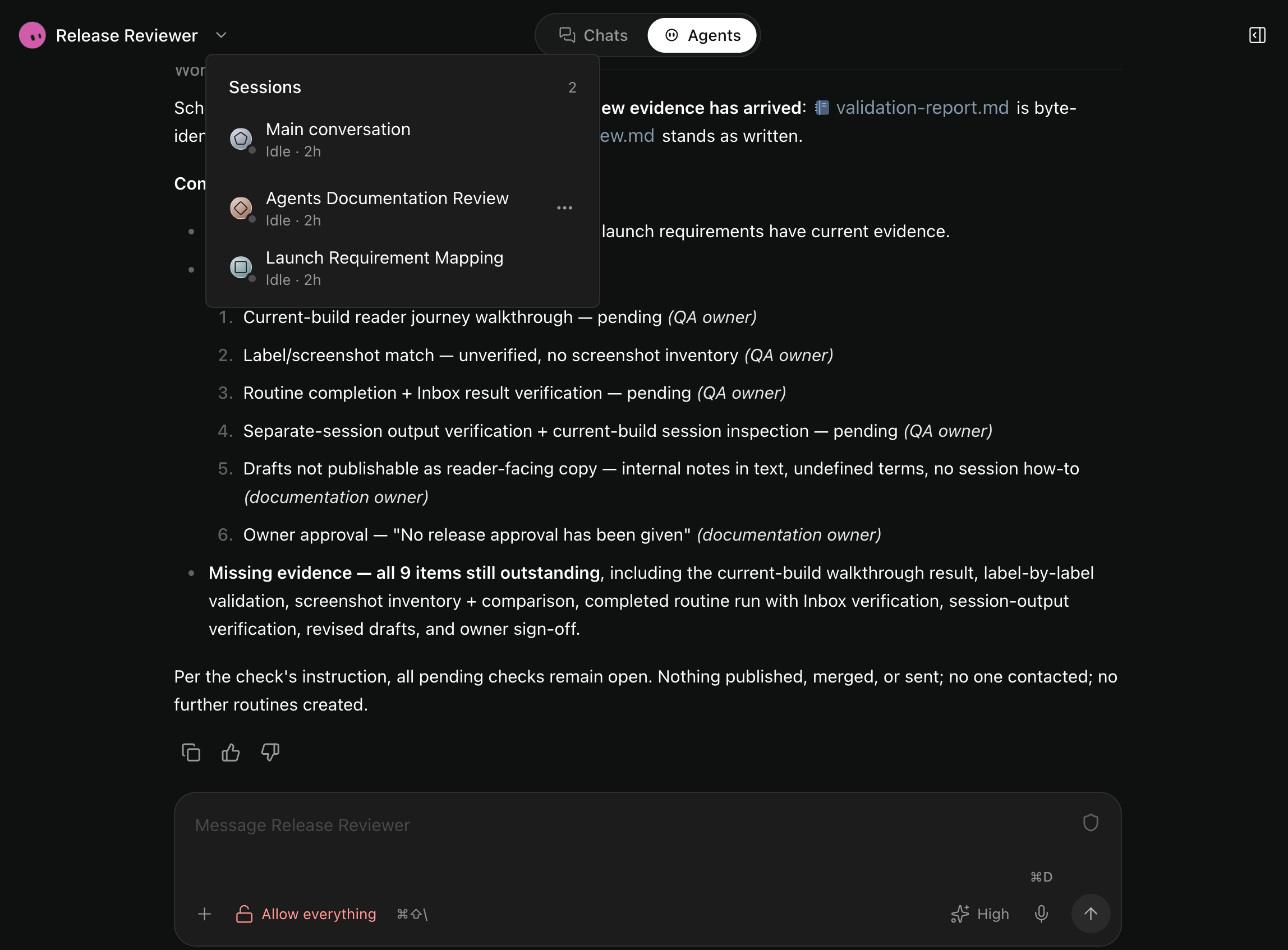
Session titles are generated automatically. The two sessions shown here checked the reader journey and validation notes.
The Agent can reuse sessions, give them corrections, and cancel work it no longer needs. Requested results return automatically.
What does a new session know?
A fresh session starts with its assignment and the inputs it needs.
A forked session also gets completed conversation context from the point where it starts. A fork icon identifies it.
Both can use shared files and project memory. They keep the Agent setup chosen at creation. Later messages and setup changes do not automatically reach them.
A fork does not copy running work or routines. A session cannot create further sessions.
Keep, archive, or delete a session
An idle session has no active work. The Agent can reuse it, or a routine can wake it later.
The session menu lets you rename, archive, restore, or delete it. Archiving organizes the list. It does not pause routines.
Deleting a session also removes its routines. Keep any results you still need first.
The main conversation cannot be archived or deleted on its own. Deleting its project removes it. Manager is separate from the Sessions list.
Stop or continue safely
Stop stops the current run and pauses messages you queued. A failed run also pauses those messages. Use Send now when you want to continue.
Stopping one run does not stop separate sessions or pause future routines. Queued routine messages and returned session results can still start work.
For a failed task, read the error and check anything already saved or changed:
"Check what you finished before the error. Continue with the remaining work, and tell me if anything needs my help."
Retrying does not undo earlier actions. You can leave the app while server work continues, and reopening it does not discard queued messages.
If a session needs approval, review the action in that session, the main conversation, or Inbox. A session's report cannot approve an action for you.