

Files and memory
Give your Agent the right references and keep its work in a useful place.
For one task, paste the information into the conversation or attach a file. For work you return to, it helps to decide what should stay available.
Keep the work in a project
Home is the default project. You can choose another project when you create an Agent, such as one for a customer or an ongoing project.
That is where its main conversation starts. Changing the project setting later does not move the conversation or its files.
Projects help organize work. Agents in your account can still use shared files elsewhere in your workspace.
Save a reference it should keep
Open the Agent conversation's side panel with the panel icon at the upper right. Under Setup, select Edit. Under Knowledge, select Add files. Choose the reference. Select Save changes.
A writing guide, review checklist, or agreed policy can fit here.
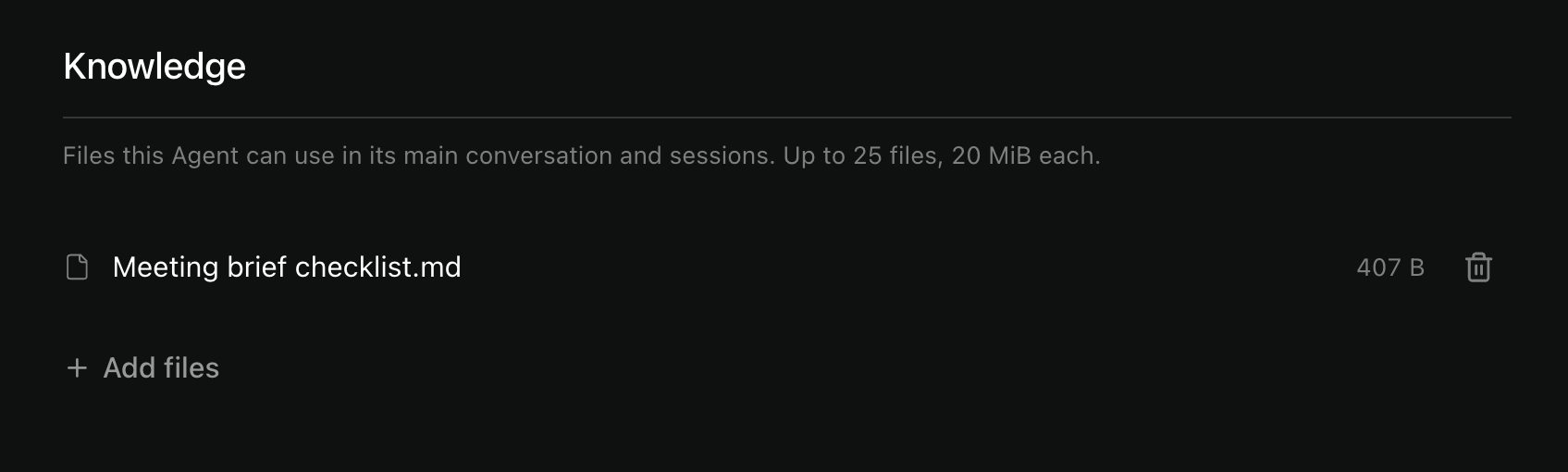
You can also ask Manager to attach an existing workspace file:
"Use our meeting checklist as a reference for future briefs. Keep it attached to this Agent."
Knowledge files are copies. Editing the original does not update the attached copy. Attach and save a replacement when the reference changes.
Keep changing work, such as a contact list or draft report, in project files instead. The Agent can keep updating the same work there.
Tell it what should stay consistent
Save your usual way of working in the Agent's instructions through Manager.
Agents use those instructions instead of automatically adopting the preferences and project instructions from ordinary chats.
Your conversation still gives the Agent context for the current work. For a long task, ask it to save its progress in a file:
"Save what you've finished and what is still open, so we can continue from here next time."
Open any delivered file before relying on it. Check that it contains the work you asked for.
What else can it remember?
Agents receive saved facts from user_profile.md. They can use project files and summaries of recent work in that project.
They do not automatically load ordinary-chat preferences, project instructions, or context.md as their own instructions.
Long conversations may be summarized. A separate fresh session does not receive the full conversation history. See Longer tasks and sessions.
Reference file limits and older sessions
An Agent can have up to 25 knowledge files, each up to 20 MiB, within your storage allowance.
Removing a reference from the current setup does not remove its older copy from a session created earlier.
What happens when I delete an Agent or project?
Deleting an Agent removes its knowledge copies and conversations. Separate project files remain.
Deleting a project removes its files, conversations, and their routines. The Agent's saved setup remains.
If the Agent still points to that deleted project, choose another Project in its setup before opening a new main conversation. Deleted history does not return.
See Projects for browsing, downloading, and exporting files.